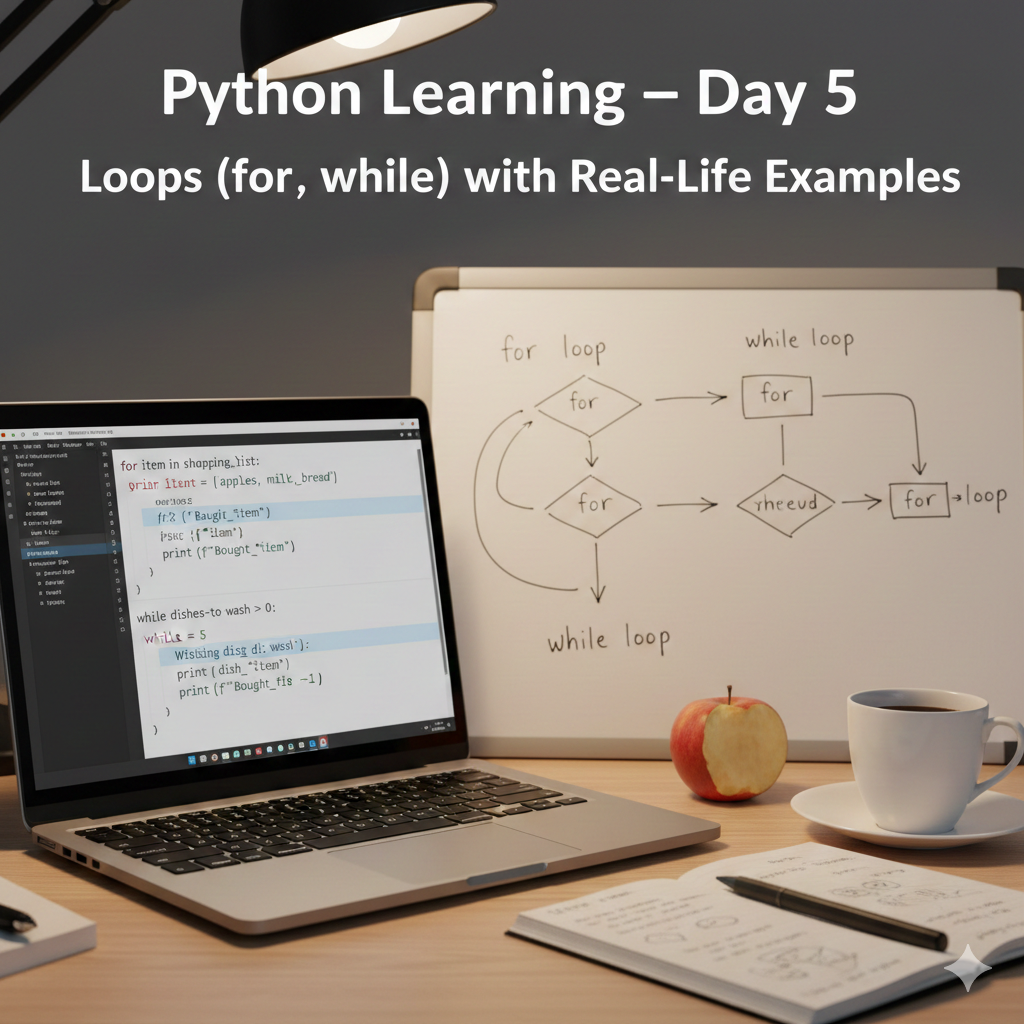
Python Learning โ€“ Day 5: Loops (for, while) with Real-Life Examples

Python Learning โ€“ Day 5: Loops (for, while) with Real-Life Examples

Introduction

Welcome to Day 5 of my Python learning journey.
In this lesson, I learned about loops in Python. Loops are used to repeat tasks automatically, which saves time and reduces manual work.

In real life, we repeat tasks daily (like practicing, calculating bills, sending reminders). In programming, loops help us do the same thing efficiently.


๐Ÿ“š Topics Covered in Day 5

In this lesson, I learned:

  • What is a loop in Python
  • for loop and how range() works
  • while loop and condition-based repetition
  • How to use loops with real-life examples
  • Practice programs like even numbers, multiplication table, and sum calculation

๐Ÿ” What Is a Loop?

A loop is used to execute a block of code multiple times.

Python mainly provides two types of loops:

  • for loop (counting-based repetition)
  • while loop (condition-based repetition)

โœ… for Loop Example (Print 1 to 10)

for number in range(1, 11):
    print(number)

Output:

1
2
3
...
10

range(1, 11) means numbers from 1 to 10 (11 is not included).


โœ… while Loop Example (Print 1 to 10)

i = 1
while i <= 10:
    print(i)
    i += 1

The while loop runs as long as the condition is true.


โœ… Real-Life Example: Print Even Numbers (1 to 10)

Using for loop:

for number in range(1, 11):
    if number % 2 == 0:
        print(number)

Using while loop:

i = 1
while i <= 10:
    if i % 2 == 0:
        print(i)
    i += 1

The % operator gives the remainder. If a number is divisible by 2, it is even.


๐Ÿงฎ Program 1: Multiplication Table (User Input)

number = int(input("Enter a number: "))

for i in range(1, 11):
    result = number * i
    print(number, "x", i, "=", result)

This program prints the multiplication table from 1 to 10.


โž• Program 2: Sum of 1 to N (User Input)

n = int(input("Enter a number: "))

if n <= 0:
    print("Please enter a positive number.")
else:
    total = 0
    for i in range(1, n + 1):
        total += i
    print("Sum of 1 to", n, "is:", total)

This program calculates the total sum from 1 to N using a loop.


๐ŸŒ Why Loops Are Important?

Loops are used in real-world applications like:

  • Repeating tasks automatically
  • Processing large data lists
  • Running programs until a condition is met (e.g., login systems)
  • Creating patterns and tables
  • Automation and scripts

โœ… What I Learned Today

  • How to repeat tasks using loops
  • The difference between for and while
  • Using loops with conditions (even/odd)
  • Building real-life mini projects with loops

๐Ÿ”œ Next Lesson (Day 6)

In Day 6, I will learn about:

  • Lists in Python
  • Storing multiple values in one variable
  • Looping through lists with real-life examples

๐Ÿ“ข Final Note

This series is beginner-friendly and public so anyone can learn Python step by step.

Thank you for reading ๐Ÿš€

Python Learning โ€“ Day 4: Conditional Statements (if, else, elif)

Python Learning โ€“ Day 4: Conditional Statements (if, else, elif)

Introduction

Welcome to Day 4 of my Python learning journey.
In this lesson, I learned how Python makes decisions using conditional statements such as if, else, and elif.

Conditional statements are extremely important in programming because real-life applications constantly make decisions based on conditions.


๐Ÿ“š Topics Covered in Day 4

In this lesson, I learned:

  • What are conditional statements
  • How if works in Python
  • How if-else controls program flow
  • How elif handles multiple conditions
  • Using conditions with user input

๐Ÿ”€ What Are Conditional Statements?

Conditional statements allow a program to execute different code blocks based on conditions.

In simple words:

If a condition is true โ†’ do something
Else โ†’ do something else


๐Ÿง  Simple if Example

age = 20

if age >= 18:
    print("You can vote")

This code checks whether a person is eligible to vote.


๐Ÿ”„ if โ€“ else Example

age = 16

if age >= 18:
    print("You can vote")
else:
    print("You cannot vote")

Here, Python makes a decision based on the value of age.


๐Ÿงฎ Real-Life Example: Pass or Fail

marks = 35

if marks >= 40:
    print("Pass")
else:
    print("Fail")

This logic is commonly used in school result systems.


โž• Multiple Conditions Using elif

marks = 75

if marks >= 90:
    print("Excellent")
elif marks >= 60:
    print("Good")
elif marks >= 40:
    print("Pass")
else:
    print("Fail")

Python checks the conditions from top to bottom and executes the first true condition.


๐Ÿงพ Real-Life Program: Student Result System

name = input("Enter your name: ")
marks = int(input("Enter your marks: "))

if marks >= 90:
    print(f"{name}, your result is: Excellent")
elif marks >= 60:
    print(f"{name}, your result is: Good")
elif marks >= 40:
    print(f"{name}, your result is: Pass")
else:
    print(f"{name}, your result is: Fail")

This program behaves like a real-world student result evaluation system.


๐ŸŒ Why Conditional Statements Are Important

Conditional statements are used in:

  • Login systems
  • Eligibility checks
  • Exam result processing
  • Banking and finance applications
  • Decision-based automation

Without conditional logic, programs would not be able to make decisions.


โœ… What I Learned Today

  • How to use if, else, and elif
  • How Python makes decisions
  • How to apply logic to real-life problems
  • How to create interactive decision-based programs

This lesson helped me understand the foundation of decision-making in Python.


๐Ÿ”œ Next Lesson (Day 5)

In Day 5, I will learn about:

  • Loops in Python
  • Repeating tasks automatically
  • Real-life loop examples

๐Ÿ“ข Final Note

This Python learning series is written for beginners.
Anyone who wants to learn Python step by step can follow these posts.

Thank you for reading ๐Ÿš€

Python Learning โ€“ Day 3: Strings and User Input

Python Learning โ€“ Day 3: Strings and User Input

Introduction

Welcome to Day 3 of my Python learning journey.
In this lesson, I learned how Python interacts with users using strings and user input.

Most real-world applications need to communicate with users, and this lesson explains how Python takes input, processes it, and displays meaningful output.


๐Ÿ“š Topics Covered in Day 3

In this lesson, I learned:

  • What are strings in Python
  • How to take user input using input()
  • How to convert input into numbers
  • How to format output using f-strings

๐Ÿ”ค What Is a String in Python?

A string is a sequence of characters used to store text.
In Python, strings are written inside double quotes " " or single quotes ' '.

Example:

message = "Hello, Python"
print(message)

Output:

Hello, Python

Strings are commonly used for:

  • Names
  • Messages
  • User input
  • Text display

๐Ÿงพ Taking User Input in Python (input())

The input() function allows Python to receive data from the user.

Example:

name = input("Enter your name: ")
print("Hello", name)

Output:

Enter your name: Hiranmoy
Hello Hiranmoy

By default, input() always returns a string.


๐Ÿ”ข Converting Input into Numbers

When we need to perform calculations, we must convert user input into numbers using int().

Example:

age = int(input("Enter your age: "))
print("After 5 years, your age will be", age + 5)

Output:

Enter your age: 22
After 5 years, your age will be 27

๐Ÿง  Formatting Output Using f-Strings

Python provides f-strings to format output easily.

Example:

name = input("Enter your name: ")
city = input("Enter your city: ")

print(f"I am {name} and I live in {city}")

Output:

I am Hiranmoy and I live in Haldia

f-strings make code cleaner and easier to read.


๐Ÿ—๏ธ Real-Life Example: Online Form

The following program simulates a simple online form:

name = input("Enter your name: ")
age = int(input("Enter your age: "))
profession = input("Enter your profession: ")
city = input("Enter your city: ")

print("\n--- User Details ---")
print(f"Name: {name}")
print(f"Age: {age}")
print(f"Profession: {profession}")
print(f"City: {city}")

This program behaves like filling an online registration form.


๐ŸŒ Why This Lesson Is Important

User input and strings are essential in:

  • Login systems
  • Registration forms
  • Chat applications
  • Interactive software

This lesson is a foundation for building real-world Python applications.


โœ… What I Learned Today

  • How to work with strings
  • How to take user input
  • How to convert input into numbers
  • How to format output using f-strings

This lesson helped me build interactive Python programs.


๐Ÿ”œ Next Lesson (Day 4)

In Day 4, I will learn about:

  • Conditional statements (if, else)
  • Decision making in Python
  • Real-life logic examples

๐Ÿ“ข Final Note

This Python learning series is written for beginners.
Anyone who wants to learn Python step by step can follow these posts.

Thank you for reading ๐Ÿš€

Python Learning โ€“ Day 2: Operators and Real-Life Calculations

Python Learning โ€“ Day 2: Operators and Real-Life Calculations

Introduction

Welcome to Day 2 of my Python learning journey.
In this lesson, I learned how Python performs mathematical calculations using operators.

Operators are very important in programming because almost every real-world application involves calculations such as bills, salary, discounts, and expenses.


๐Ÿ“š Topics Covered in Day 2

In this lesson, I learned:

  • What are operators in Python
  • Arithmetic operators
  • How Python performs calculations
  • Real-life examples like shopping bills and discounts

๐Ÿงฎ What Are Operators in Python?

Operators are symbols that perform operations on values and variables.

Python operators help us to:

  • Add numbers
  • Subtract values
  • Multiply quantities
  • Divide amounts
  • Find remainders

๐Ÿ”ข Arithmetic Operators in Python

OperatorPurposeExample
+Addition10 + 5
-Subtraction10 – 5
*Multiplication10 * 5
/Division10 / 5
%Modulus (remainder)10 % 3

๐Ÿช Real-Life Example: Shopping Bill

Letโ€™s calculate the total cost of buying rice.

Python Code Example:

rice_price = 60
quantity = 3

total_price = rice_price * quantity
print("Total price =", total_price)

Output:

Total price = 180

This example is similar to calculating a bill in a grocery store.


๐Ÿท๏ธ Discount Calculation Example

Now letโ€™s apply a discount to the total price.

Python Code:

rice_price = 60
quantity = 3
discount = 5  # percent

total_price = rice_price * quantity
final_price = total_price - (total_price * discount / 100)

print("Rice price =", rice_price)
print("Quantity =", quantity)
print("Total price =", total_price)
print("Discount =", discount, "%")
print("Final price after discount =", final_price)

Output:

Rice price = 60
Quantity = 3
Total price = 180
Discount = 5 %
Final price after discount = 171.0

๐Ÿ” Modulus Operator (%) โ€“ Real-Life Meaning

The modulus operator % returns the remainder after division.

Example:

print(10 % 3)

Output:

1

Real-Life Use Case:

If 10 items are divided among 3 people, 1 item will remain.


๐ŸŒ Why Operators Are Important?

Operators are used everywhere in real-world applications:

  • Shopping and billing systems
  • Salary calculation
  • Expense tracking
  • Banking applications

Without operators, programming would not be possible.


โœ… What I Learned Today

  • How Python performs calculations
  • How to use arithmetic operators
  • How to calculate bills and discounts
  • How Python helps in real-life problem solving

This lesson helped me understand how Python works like a smart calculator.


๐Ÿ”œ Next Lesson (Day 3)

In Day 3, I will learn about:

  • Strings in Python
  • Taking user input using input()
  • Creating simple interactive programs

๐Ÿ“ข Final Note

This Python learning series is designed for beginners.
Anyone who wants to learn Python step by step can follow these posts.

Thank you for reading ๐Ÿš€

Python Learning โ€“ Day 1: Introduction, print() and Variables

Python Learning โ€“ Day 1: Introduction, print() and Variables

๐Ÿ“Œ Introduction

Python is one of the most popular and beginner-friendly programming languages in the world.
In this learning journey, I am documenting my daily Python classes so that anyone can learn Python step by step along with me.

In Day 1, I learned the very basics of Python, including how to print messages and how to store data using variables.


๐Ÿ“š Topics Covered in Day 1

In this lesson, I learned the following topics:

  • What is Python
  • How Python prints output using print()
  • What are variables
  • How to store and display data

๐Ÿง  What is Python?

Python is a high-level programming language that is easy to read, write, and understand.
It is widely used in:

  • Web development
  • Data analysis
  • Automation
  • Artificial Intelligence
  • Cybersecurity

Python is perfect for beginners because its syntax is very simple and close to English.


๐Ÿ–จ๏ธ Printing Output in Python (print())

To display any message on the screen, Python uses the print() function.

Example:

print("Hello, Python")
print("My name is Hiranmoy")

Output:

Hello, Python
My name is Hiranmoy

The print() function tells Python what to show as output.


๐Ÿ“ฆ Variables in Python

A variable is like a container that stores data.
We can give a name to a value and use it later.

Example:

name = "Hiranmoy"
age = 22
city = "Haldia"

print(name)
print(age)
print(city)

Output:

Hiranmoy
22
Haldia

Here:

  • name, age, and city are variables
  • = is used to assign values
  • Python stores the data in memory

๐Ÿ”— Using Text with Variables

We can also combine text and variables using print().

Example:

name = "Hiranmoy"
age = 22

print("My name is", name)
print("I am", age, "years old")

Output:

My name is Hiranmoy
I am 22 years old

๐ŸŒ Real-Life Example

Variables are used everywhere in real life:

  • Contact name and number
  • Login username
  • User profile details

Python variables work in the same way by storing information.


โœ… What I Learned Today

  • How Python displays output
  • How to create and use variables
  • How to write simple Python programs
  • Basic structure of Python code

This lesson helped me understand the foundation of Python programming.

๐Ÿ”œ Next Lesson (Day 2)

In Day 2, I will learn about:

  • Python Operators
  • Mathematical calculations
  • Real-life examples like bills and discounts

๐Ÿ“ข Final Note

This learning series is completely beginner-friendly.
Anyone who wants to start learning Python can follow these daily posts.

Thank you for reading.